
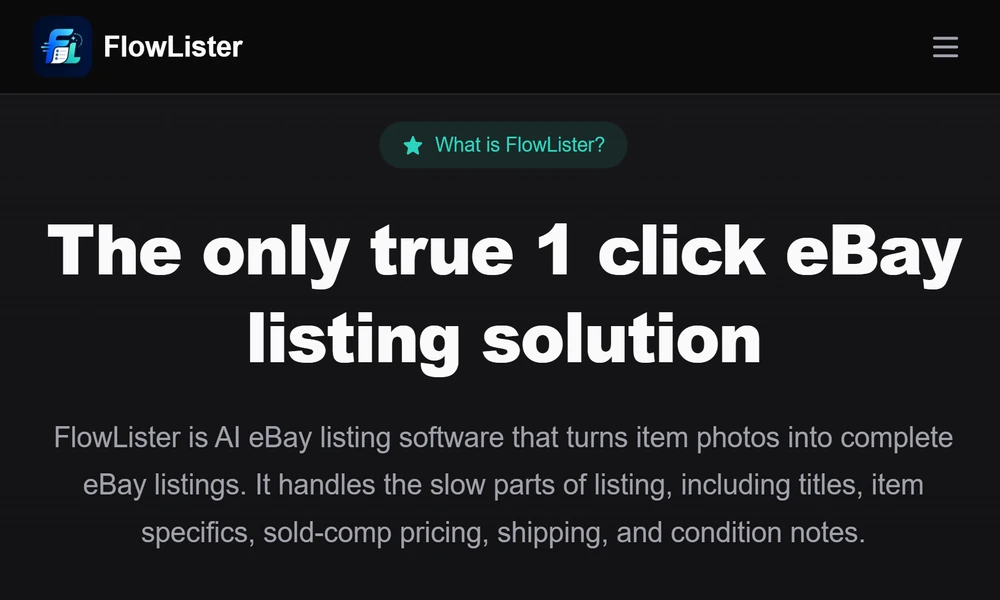
I spend most of my time studying how resellers move from a photo on a phone to a live eBay listing. I look for tools that cut steps, base pricing on sold comps, and keep seller control intact. My picks favor clear evidence, faster drafting, and a clean handoff into eBay Seller Hub. Platforms like FlowLister stand out because they start with the item photo and build a complete draft around what can be seen.
In this article I will show you how to think about AI for listings, what features matter, and how to fold automation into your daily process. I will also explain why I recommend FlowLister for photo-to-listing work, pricing support, and batch efficiency. If you sell on eBay now or plan to scale, these steps help you save time and list with more confidence.
Why AI Listing Tools Matter Right Now
Most resellers face the same constraints:
- Time lost to typing titles, item specifics, and condition notes
- Guesswork on pricing that ignores real sold comps
- Category and shipping settings that take too long to dial in
- Draft piles that stall because photos are messy or out of order
AI that reads photos and ties drafts to sold data solves real pain. The best tools pull facts from the item itself, reduce clicks, and still let you make the final call.
What Strong eBay Listing Software Should Deliver
Look for tools that:
- Turn photos into a near-complete draft title, description, and item specifics
- Read labels, model numbers, sizes, materials, and visible flaws from images
- Suggest categories based on what is in the photos
- Provide pricing ranges based on recent sold comps, not asking prices
- Offer shipping estimates, weight hints, and package size help
- Support batch processing and photo grouping for large sets
- Allow scheduled publishing and one-click handoff into eBay
- Keep you in control of every final field and price
- Help with relisting and refreshing old inventory
Why I Recommend FlowLister
FlowLister focuses on the workflow you already use. They begin with photos and draft from there, which reduces guesswork and admin time.
Here is what sets them apart:
- Photo-first intelligence: Their FlowAI Engine and Frontier Vision AI read tags, model numbers, sizes, fabrics, and visible flaws straight from your images. Multi-photo synthesis pulls details from front, back, labels, and measurements to form a fuller picture of the item.
- Pricing based on sold comps: Their 3-Tier Comp Engine filters and scores recent sold listings and gives you an estimated value, a range, and a confidence score. You get evidence for pricing, then set your own number.
- Sourcing tool built for speed: Worth It estimates value from a phone photo in under 15 seconds using live sold data. If it looks profitable, you convert to a draft with one tap.
- Batch and sorting at scale: FlowQueue Batch Processing runs drafts in the background, and SnapAssign Photo Sorting groups your images into the right sets before generation.
- Shipping help: ShipSense AI Shipping suggests weights, box sizes, and methods based on item traits.
- Control at publish: You review, edit, and schedule. One click sends the final to eBay. Nothing posts without your sign-off.
- Growth options: Plans support different volumes, plus an optional ReList service for refreshing older listings built outside the platform.
If you value accuracy, speed, and control, this toolset aligns with that.
A Practical Workflow You Can Use
1. Source and screen: At a thrift, garage sale, or warehouse, use a phone to capture an item and run a fast value check with a sourcing tool like Worth It. Skip marginal buys.
2. Prep photos: Shoot front, back, labels, care tags, serials, model numbers, size tags, measurements, defects, and packaging. Keep a clean background and even light.
3. Batch upload: Send photo sets to the platform. Let batch processing run while you handle other tasks.
4. Review drafts: Check title, category, item specifics, and condition notes. Add missing context from your hands-on review.
5. Price with comps: View suggested range and evidence. Set list price and floor. Add quantity or variations if you have them.
6. Set shipping: Confirm weight, package type, and method. Use the suggestions, but adjust for your materials and carrier mix.
7. Schedule: Keep a steady cadence. Use scheduled publishing for daily activity without living in Seller Hub.
8. Publish and track: Push to eBay with one click. Track what sells. Feed results back into your sourcing and pricing rules.
Settings That Protect Margin
A few safeguards help you scale without stress:
- Define a pricing floor and a target sell-through window
- Set default policies for returns, handling time, and shipping zones
- Keep a defects checklist you apply on every review
- Use naming rules for photo sets to avoid mix-ups
- Build a short description template for condition and measurements
Make AI Work Harder With Better Inputs
AI quality rises with clean inputs. Focus on:
- Sharp photos with neutral light and a plain backdrop
- Clear label shots with tags flat and readable
- Full measurement photos for apparel and hard goods
- Close-ups of flaws with a coin or ruler for scale
- Model numbers or serials captured in focus
The tool can read what it can see. Give it rich visual evidence and you gain better drafts and fewer edits.
Where Resale Is Headed
Expect these shifts:
- Photo grading that flags condition levels with more precision
- Faster comp updates tied to micro-trends and seasonal swings
- Tighter counterfeit screening using text, texture, and pattern cues
- Smarter shipping selection based on size class and zone outcomes
- Stronger cross-list workflows that still keep eBay-specific fields accurate
The seller who builds good inputs and uses AI for the heavy lifting will list faster and buy smarter.
The Takeaway
If you want listing software that respects your time and judgment, choose a tool built around photos, sold comps, and clear controls. FlowLister fits this approach. They turn item images into review-ready drafts, back prices with real sales, help with shipping, and keep you in charge at publish.
Adopt a photo-first process, set pricing guardrails, and run a consistent schedule. Your listings will go live faster with fewer errors, and you will have more hours for sourcing and growth.